Four Ways Omron’s New Factory Drive Recorder Helps You Determine Root Causes That Could Otherwise Remain a Mystery
July 18, 2022
If a product is scratched by a robot but nobody was there to see it, how do you know what exactly happened? Intermittent problems in manufacturing lines (such as die casting) can cause millions of lost $$$ when repair workers are forced to troubleshoot without any idea of what may have caused the problem or when the problem will occur again. Omron’s Factory Drive Recorder addresses this issue by letting you monitor machines or areas within your facility and capture what happened just after or prior to a triggering event. Whether your application involves progressive die casting, machine tooling, bottle inspection, high-precision welding, or something else, this solution can save troubleshooting time.
Let’s look at the four ways that automation engineers, quality control engineers, system designers, purchasers, and maintenance personnel can benefit from this technology.
1. Recording the moment helps determine the exact root cause.
If you don’t have enough information to determine the root cause of an error, it’s extremely difficult to keep that error from occurring again (and again, and again). Fortunately, you can use the Factory Drive Recorder to save up to five minutes of video before and after a particular trigger that you specify beforehand.
By accessing prolonged video data, engineers can get to the root cause quicker and more efficiently. You can rewatch the video as many times as necessary to determine the fundamental problem rather than taking the entire machine apart.
2. Omron’s offering is more affordable and less complex than other options.
Typical event capture software solutions on the market today are too expensive and quite challenging to set up. Experts and dedicated personnel are often required to maintain and run these systems.
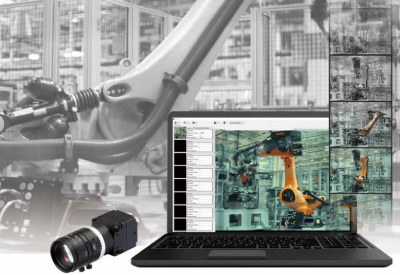
Thanks to the simplicity of Omron’s industrial cameras, the Factory Drive Recorder system can be set up extremely quickly and with just a fraction of the cost of a traditional system. The recorder can use up to eight Omron cameras (U3V or GigE) on a single system with an easy-to-use interface.
3. The system lets you specify the most relevant triggers for recording.
The Factory Driver Recorder Software offers four different trigger modes that you can as the cause of error:
- Time Trigger
- Motion Detection
- Master Image Comparison
- Trigger Signal (Hardware Trigger).
4. Additional Factory Drive Recorder information.
The Omron Factory Drive Recorder offers users the ability to optimize their machine troubleshooting and minimize the time it takes to solve problems in the field through the combination of Omron Industrial Cameras and the easiest to use Event Capture Software on the market.
The Omron Factory Drive Recorder combines Omron’s incredibly robust and diverse Industrial Camera line with a brand new Event Capture Software to achieve an incredibly simple to use and feature rich solution for companies looking to monitor automation for error detection and provide an easier way to record and evaluate potential problems. Whether a company is looking to monitor for error detection or if you want to record specific periods of time based on external triggers, the Factory Drive Recorder is the perfect event capture software for the application.
To learn more about Omron’s Factory Drive Recorder, download their Product Brochure by clicking here or visit their Product Page by clicking here